
Solutions / Revenue leaders
Give every rep the edge. See where it's working.
For sales leaders, revenue operations and enablement. Roll out personal video across the team, build a library of what works, and measure it in the CRM you already report from.

A rollout in four steps.
Most of the work is deciding what good looks like. coReel handles the rest.
01
Connect your stack
Single sign-on for the team, and the CRM and mailboxes they already use.
Who
IT and revenue operations
02
Build the playbook
Shared folders of the videos that work: intros, product walkthroughs, objection handling, onboarding.
Who
Enablement
03
Set team defaults
Branded watch pages, calls to action and automation templates, set once for everyone.
Who
Owners and managers
04
Measure it
Engagement on the CRM record, every send filterable by rep, and conversions tied to the send that started them.
Who
Sales leadership
The numbers you'll actually look at.
No new dashboard to learn. The data goes where you already report.
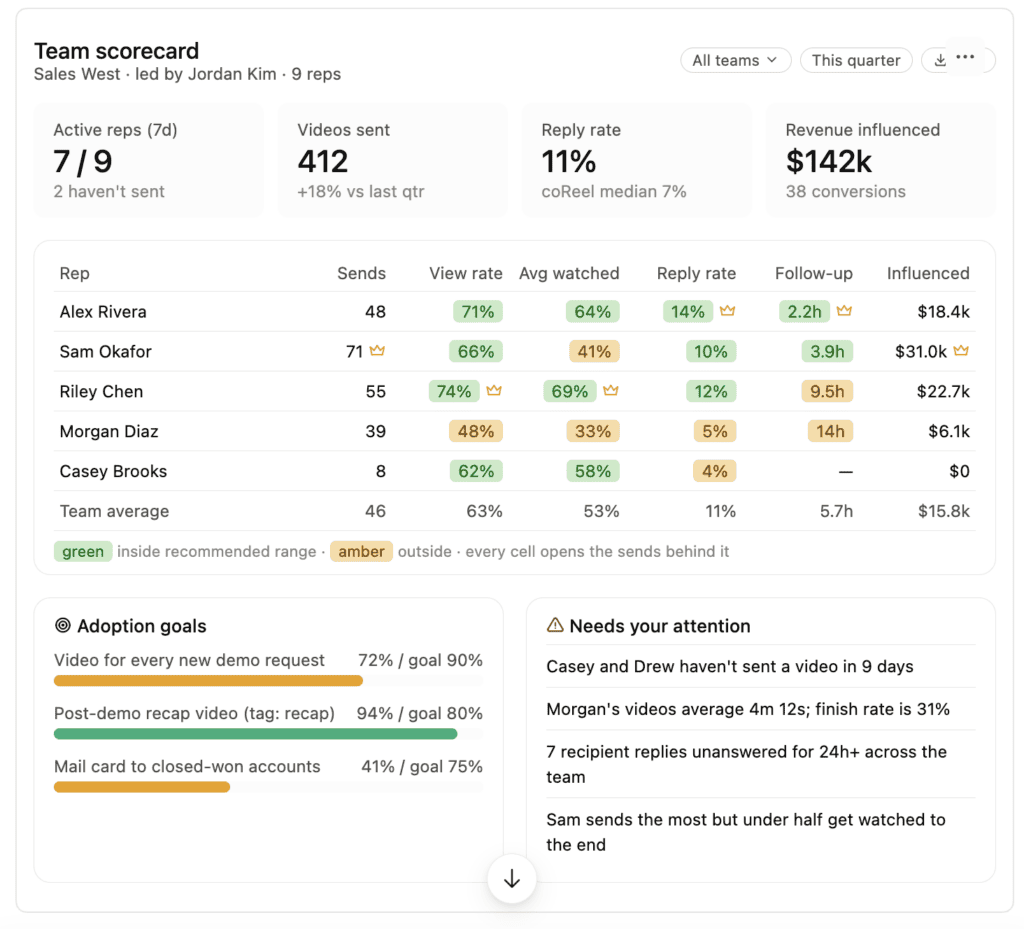
Activity by rep
See every send across the team, and who’s getting watched and answered.
Engagement on the record
Views, plays and replies logged on the Contact or Lead in Salesforce and HubSpot.
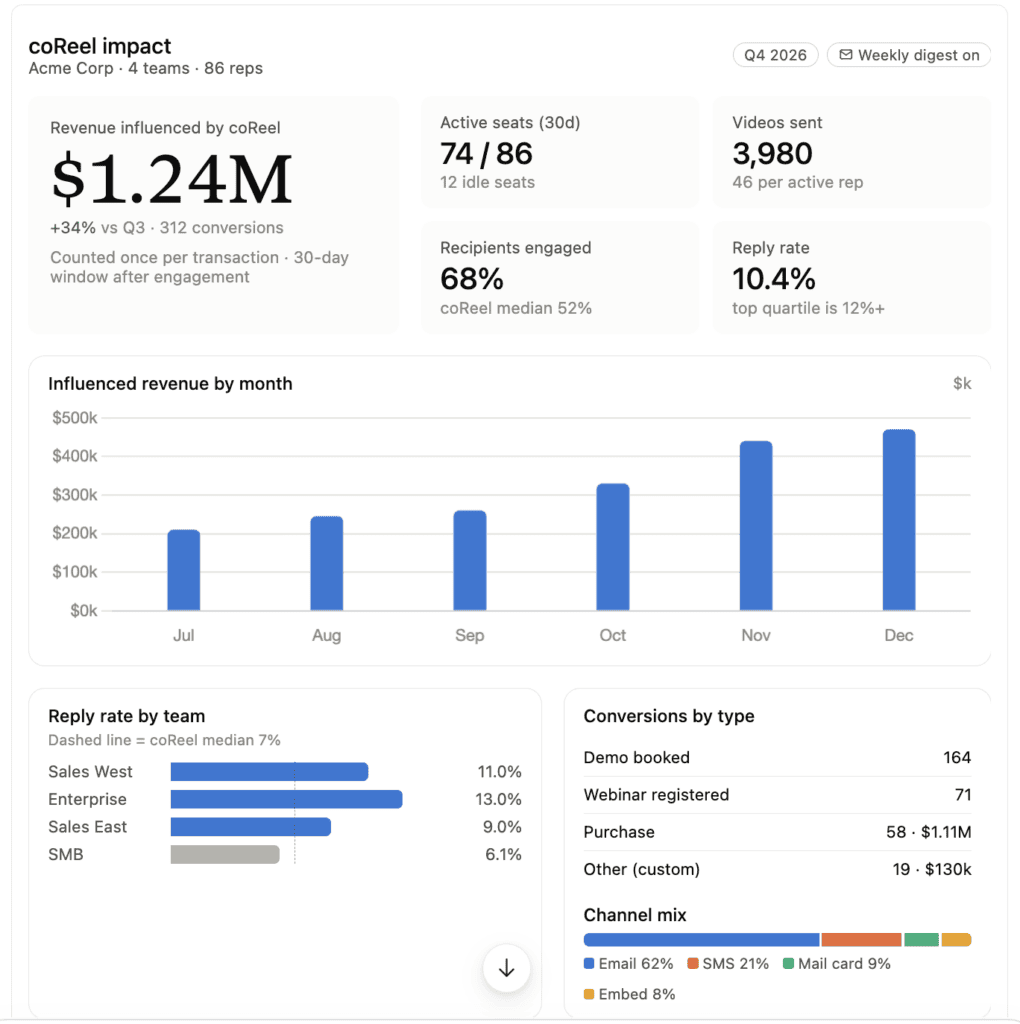
From video to revenue
Conversion webhooks tie a deal or signup back to the exact video send.
What works, reused
The videos that win go in shared folders, ready for the next rep.
Ready for your security review.
Single sign-on
Okta, with SCIM provisioning and Universal Logout.
Roles
Owners, managers and users.
Control over video
Passwords and approved embed sites.
Your reps already know their buyers. Give them a way to show it.
From video send to closed revenue.
Most video tools stop at views. coReel follows the buyer to the purchase and credits the video that started it.
A rep sends a video
Sam records 40 seconds for Jordan and sends it from Salesforce. The send is logged on Jordan’s record.
The buyer engages
Jordan watches twice, shares it with two colleagues and books a call from the watch page. Each step is tracked.
The deal closes in your CRM
When Jordan’s company buys, your CRM calls a coReel conversion webhook, the same way it would notify any other system.
coReel credits the video
The conversion is recorded against the video sends Jordan engaged with inside your attribution window, with the purchase value from the webhook or your CRM.
You see what video is worth
Each video shows its conversions and revenue next to its opens, plays and replies, so you can see which videos and which reps move deals, and show the return on video outreach.
Proving the return on video.
Can I tie revenue to a video email?
Yes. On Teams and Enterprise, conversion webhooks record a purchase or signup from your CRM against the exact video send that led to it. You choose the attribution window, and can require that the buyer actually played the video.
Which CRMs does it work with?
Any CRM or tool that can call a webhook when a contact converts, including Salesforce, HubSpot, HighLevel, Keap and Zoho. For some CRMs coReel can also look up the purchase value for you.
What if a deal was influenced by several videos?
Each video send the buyer engaged with inside the window is credited, so you can see every touch that contributed.
Where do I see the results?
On each video’s analytics, next to its opens, plays and replies, and in the webhook activity for every send, so you can check exactly what your CRM reported.
Be the one they remember.
See how coReel fits the way your team already sells.