
Integrations / HubSpot
Personal video for HubSpot, tracked on every contact.
coReel connects to your HubSpot portal. Record a video for a contact or deal, put it in a HubSpot email or send it from your own inbox, and let every view and reply update the contact and start a HubSpot workflow.
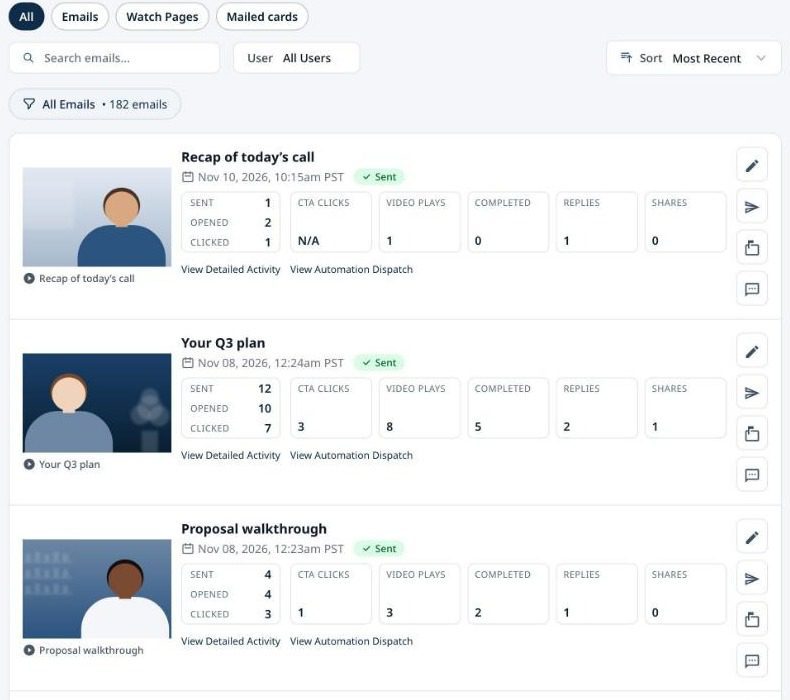
What you can do with coReel and HubSpot.
Video for HubSpot sales teams, without leaving the contact record.
Record inside HubSpot
The coReel Chrome extension adds a record button to HubSpot contact and deal records, deal board cards, and the Insert menu of HubSpot’s email composer.
Use it in a HubSpot email
Insert the tracked video email into HubSpot’s composer or a template, with HubSpot’s merge tags. Or send it from your Gmail or Outlook address with your HubSpot contacts suggested.
Video activity on the contact
When reps connect their HubSpot login, coReel keeps three contact properties current: last video sent, last video engagement and last engagement type. Use them in lists, views and reports.
Start a HubSpot workflow
For each signal, opened, played, watched to the end, clicked the button, replied, shared or scanned a mailed card, enroll the contact in a HubSpot workflow.
Briefings from HubSpot
Before you record, coReel’s AI summarizes the contact’s properties, notes, meetings, calls and deals, and suggests a script.
Revenue from HubSpot deals
Conversion webhooks credit a closed deal to the video send that led to it, and coReel can look up the amount from the contact’s associated deals.
Mailed video cards to a HubSpot list
Mail a video card to one contact using the address on their HubSpot record, or to a whole HubSpot list at once.
How it works.
Connected in a few minutes by an owner or manager on your coReel account. Step by step: how to add video to HubSpot emails.
Step
What happens
Connect
An owner or manager connects your company’s HubSpot portal from coReel’s Integrations page. Each rep can also sign in with their own HubSpot login on the same portal, so the activity is theirs.
Record
Record in the coReel web app, on your phone, or on a HubSpot contact or deal with the Chrome extension.
Send
Insert the video email into HubSpot’s composer, or send it from your own Gmail or Outlook address. The email shows an animated preview of you, and the link opens your branded watch page.
Follow up
Every open, play, click, reply and card scan updates the contact’s video properties, can enroll the contact in a workflow, and can alert the rep.
HubSpot and coReel, answered.
Does coReel work with HubSpot?
Yes. coReel connects to HubSpot through HubSpot’s own sign-in. Your company connects one portal, and each rep can add their own HubSpot login on that portal.
Can I send a coReel video from HubSpot?
Yes. Insert the tracked video email into HubSpot’s email composer, with the Chrome extension or by pasting it, and send it from HubSpot. You can also send from your own Gmail or Outlook address with your HubSpot contacts suggested.
Where do views and replies show up in HubSpot?
On the contact’s coReel properties: last video sent, last video engagement and last engagement type. You can filter lists and views on them, and enroll the contact in a workflow when they watch, click or reply.
Can a video view start a HubSpot workflow?
Yes, on HubSpot tiers that include workflows. You choose a workflow for each signal: opened, played, watched to the end, clicked the call to action, replied by text or video, shared, or scanned a mailed card.
Which plans include HubSpot?
Every plan. HubSpot counts as one CRM integration: Free includes one, Essentials two, and Teams and Enterprise unlimited. Revenue attribution with conversion webhooks is on Teams and Enterprise.