
Salesforce / How to log video views in Salesforce
How to log video views in Salesforce.
Send personal video email through Salesforce as the rep, and see every send, play, click and reply on the Contact or Lead, ready for reports and Flows.
What you'll need.
A one-time setup by your Salesforce admin and a coReel owner or manager.
A supported Salesforce edition
Enterprise or Unlimited, or Professional with API access. Sandboxes work for testing.
The coReel package
Your Salesforce admin installs the coReel managed package. Ask your coReel contact or support for the install link.
A sending domain with DKIM
Emails go out through Salesforce, so your sending domain needs a DKIM key in Salesforce.
The coReel Chrome extension
Optional, to record from a Contact, Lead or Opportunity. Get the extension.
Step by step.
Set up once, then every send logs itself.
Step
What to do
1. Install the package
Your Salesforce admin installs the coReel package and gives reps the coReel Viewer permission set, so they can see video activity.
2. Connect your org
In coReel, an owner or manager opens Integrations, clicks Salesforce – Company connection, chooses Production or Sandbox, and clicks Continue to Salesforce.
3. Turn on logging
Once connected, turn on Log sent emails on the Contact or Lead, and Log views, clicks and replies.
4. Connect each rep
Each rep clicks Salesforce – Send email as yourself and signs in, so emails go out as them.
5. Record and send
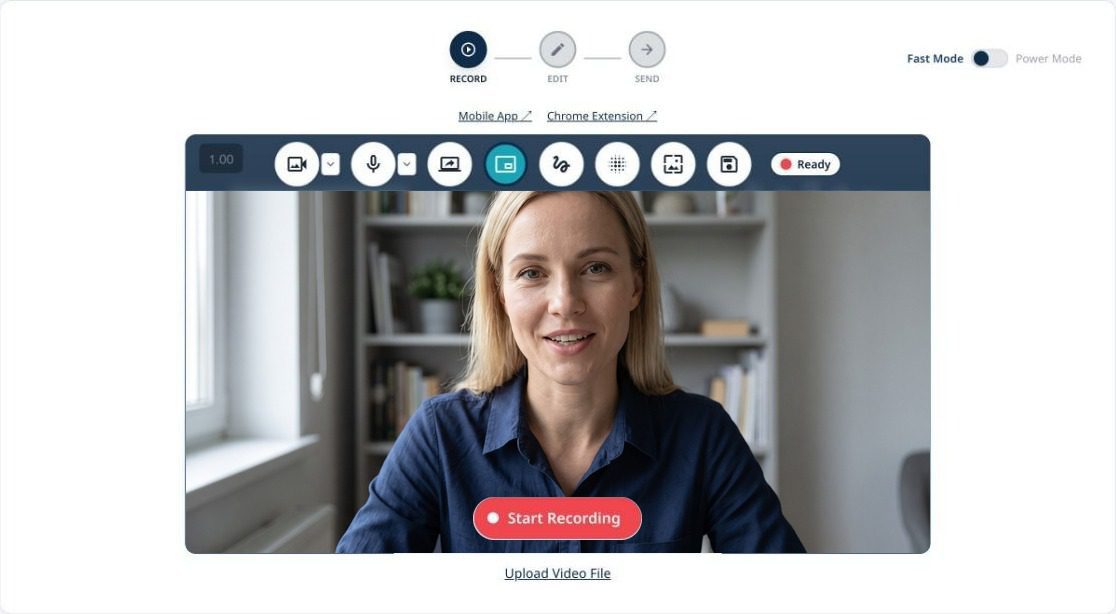
Record in coReel or from a Contact, Lead or Opportunity with the Chrome extension. Pick Contacts & Leads or a Campaign, and send.
6. Watch it land on the record
The send, then every play, click and reply, shows up on the Contact or Lead.
What you'll see in Salesforce.
Standard records your team already knows, plus one object built for video.
An Email Message for every send
On the Contact or Lead’s activity timeline, with the subject and the video.
A Task per recipient
A completed Task, with a subject like “coReel: Jordan watched “Q3 rollout plan””, that updates as they engage.
A Video View record
In the Video Views related list: when they clicked, started and finished watching, clicked your button, replied, shared or scanned a mailed card, and how far they got.
Fields for Flows
Last Video Event and Last Video Event At on Contacts and Leads, ready for a record-triggered Flow.
Reports
Use the coReel Video Views report type to report on video engagement, or open the Video Views tab for every view in one list.
Video views in Salesforce, answered.
Can Salesforce track video views?
Not on its own. With coReel, each video email sent through Salesforce logs an Email Message, a Task and a Video View record on the Contact or Lead, and updates as the recipient plays, clicks, replies or shares.
Are email opens logged in Salesforce?
No. coReel logs the send and real engagement in Salesforce: clicks, plays, watching to the end, button clicks, replies, shares and mailed-card scans. Opens stay in coReel, where you can still see them.
Can a video view start a Salesforce Flow?
Yes. Build a record-triggered Flow on the Last Video Event fields on Contacts and Leads, or have coReel launch an autolaunched Flow for each signal.
Which Salesforce editions work?
Enterprise and Unlimited, and Professional with API access. You can connect a sandbox first to test.
Do emails come from Salesforce or from coReel?
From Salesforce, as the rep. Each rep connects their own Salesforce login, so the email is sent and logged as them.
Keep going.
See everything coReel does with Salesforce, read our video prospecting guide, or book a demo to see it in your org.