
Comparisons / Best video prospecting tools
The best video prospecting tools in 2026.
Video prospecting software lets a rep record a short, personal video for one prospect, send it by email or from the CRM, and see when it’s watched. We compared the ten tools sales teams shortlist most, on their published plans and prices as of November 14, 2026.
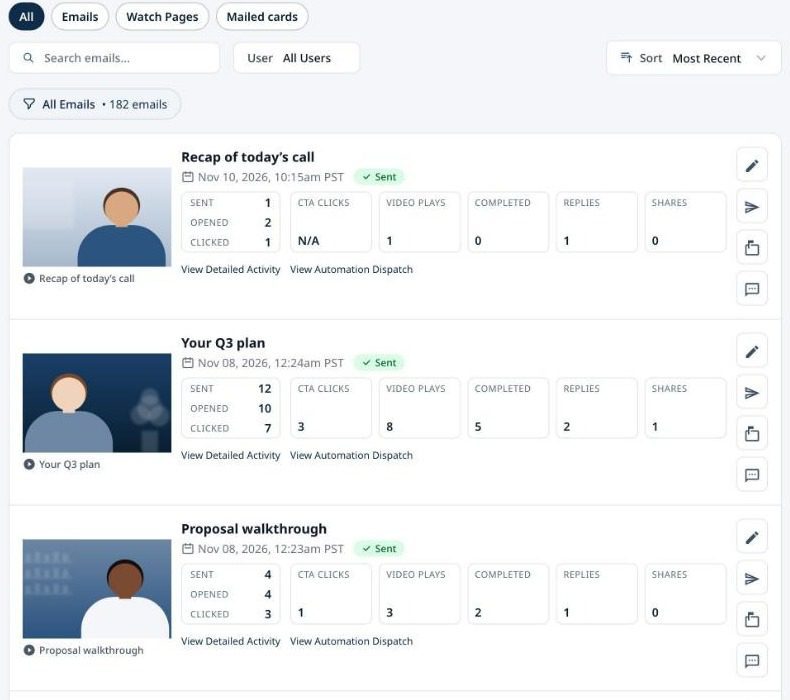
Quick picks.
Who each tool suits, whether it has a free plan, and where paid plans start. Paid prices are the lowest published plan, billed annually unless noted.
Tool
Best for
Free plan
Paid from
1. coReel
HubSpot and Salesforce sales teams that need to prove video drives revenue
Yes, 25 videos a month
$49 per user / month
4. Loom
Internal async updates and quick screen recordings
Yes, 25 videos up to 5 minutes
$18 per user / month, billed monthly
5. BombBomb
Relationship-based selling, such as real estate and mortgage
No, 14-day trial
$36 per user / month
Published plans and prices as of November 14, 2026, from each vendor’s own pricing pages. coReel is our product; the other tools are not affiliated with us.
The ten tools, compared.
What each one does best, and what to watch out for before you buy.
1. coReel
Records in the web app, inside Gmail, Outlook, HubSpot and Salesforce with a Chrome extension, or on iPhone and Android, and sends from the rep’s own address or through Salesforce. Every view and reply is logged in the CRM, and conversion webhooks tie a closed deal to the exact video send. Watch out for: no AI avatars or voice cloning, and editing stops at trimming and thumbnail text.
2. Vidyard
A broad video platform for revenue teams: AI avatars on every plan, a Video Agent add-on, transcript-based trimming and video hosting. Watch out for: CRM integrations start on the Teams plan, which is custom priced.
3. Sendspark
Built to personalize one recording for many prospects, with AI name and lip-sync personalization (beta) and agentic workflows. Watch out for: no free plan, and plans are sold as bundles of seats.
4. Loom
The fastest way to record a screen and share a link, owned by Atlassian and tied into Jira and Confluence. Watch out for: it’s built for internal communication, and the free plan stops at 5 minutes a video.
5. BombBomb
Long-standing video email for relationship-based sales, with comments, reactions and replies right in the player. Watch out for: no free plan, the trial needs a card, and Copilot automation is on Pro.
6. Hippo Video
Video messaging with a separate AI text-to-video product that makes avatar videos in 30+ languages. Watch out for: the avatar product is priced separately, and Enterprise has a 10-seat minimum.
7. Dubb
Video landing pages, a built-in CRM and HubSpot and Salesforce connections, at a low entry price. Watch out for: free videos are SD, and the AI sales agent is a separate add-on.
8. OneMob
Personal microsites for each prospect, plus prompt-to-video with an AI avatar in the rep’s own face and voice. Watch out for: AI videos are capped per month by plan.
9. Weezly
A LinkedIn outreach suite with AI video, email steps and an AI sales assistant. Watch out for: pricing is per LinkedIn sender, and AI video minutes cost extra on the lower plans.
10. Covideo
Video built for dealership sales and service teams, with AI tools for car, RV, marine and powersports dealers. Watch out for: no published prices, and it’s dealership-first.
How to choose.
Most of these tools can put a video in an email. The differences show up in what happens after it’s sent.
Where does it send from?
Video sent from the rep’s own Gmail or Outlook address, or through the CRM, reads like a personal email. Check whether replies come back to the rep’s inbox.
Does it log to your CRM?
If your team lives in HubSpot or Salesforce, check that sends, views and replies land on the contact record and can start a workflow, and which plan that needs.
Real person or AI avatar?
Some tools generate avatar or voice-cloned videos at scale. Others, like coReel, keep a real rep on camera and use AI to help them prepare.
Can you prove the return?
Views are easy to count. Tying revenue to a specific video send is rarer, and it’s what a sales leader will ask for.
What does a team really cost?
Compare per-user prices at your team size, seat minimums, and which features sit on higher plans or paid add-ons.
Video prospecting tools, answered.
What is video prospecting software?
Video prospecting software lets a sales rep record a short, personal video for one prospect, send it by email or from the CRM, and see when it’s opened, watched and replied to. The better tools also log that activity in the CRM and start follow-up automatically.
What is the best video prospecting tool?
It depends on your team. For HubSpot and Salesforce sales teams that need to show which videos turn into revenue, coReel. For AI avatars and a full video platform, Vidyard. For personalizing one video for many prospects, Sendspark. For internal screen recordings, Loom.
Which video prospecting tools have a free plan?
As of November 2026, coReel, Vidyard, Loom, Hippo Video, Dubb and OneMob have free plans. Sendspark, BombBomb and Weezly offer free trials instead, and Covideo quotes on request.
Which video prospecting tools work with HubSpot and Salesforce?
coReel sends video email through Salesforce as the rep and logs each send and view on the record, and in HubSpot it updates contact properties and can enroll the contact in a workflow. Vidyard includes CRM integrations from its Teams plan, BombBomb lists Salesforce and HubSpot on Pro, and Dubb connects to both.
How much does video prospecting software cost?
Paid plans start between $18 and $59 per user a month on published pricing, billed annually for most tools. coReel Essentials is $49 per user a month billed annually or $69 monthly, and Teams is $69 per user a month billed annually, with a 5-user minimum.
How we chose.
We picked the ten tools sales teams most often compare in video prospecting. Plans, prices and features come from each vendor’s own website, checked on November 14, 2026, and we’ll update this page when they change. coReel is our product, so we’ve listed its limits as plainly as everyone else’s. For a closer look, read our guides to the alternatives to each tool. New to video prospecting? Start with our video prospecting guide.